
What you'll learn:
💫 DICTIONARY BUILDING 💫
⭐ How to create hundreds of briefs that you don't have to put in your dictionary using integral prefix and suffix phrasing ⭐ How and when to use REMIND and SUGGEST dictionaries ⭐ Adding entries on the fly ⭐ Create an entry that will allow you to write helpful notes to yourself during realtime ⭐ How to create a special dictionary just for new briefs and phrases you want to start incorporating ⭐ How to create simple dictionary entries to utilize the entire list of macros ⭐ How to define an entry to blank the screen during realtime... just in case! ⭐ Define a ridiculously easy copy/paste entry to use when the attorney annoyingly repeats everything the witness says ⭐ How to define a realtime stroke to have your computer ask the attorneys to slow down ⭐ How to define a realtime stroke to have your computer ask the witness to spell something ⭐ How to tell Eclipse to put any capitalized globals into your job dictionary instead of your main dictionary by default ⭐ How to automatically get reminders of briefs when you write things out ⭐ Autobrief options – popup vs. list
💫 FINE-TUNING CORE ENTRIES 💫
⭐ How to manually add grammar rules to conflicts ⭐ How to easily add word cloud conflict resolution to soundalike entries ⭐ How and when to lock down artificial intelligence on any conflict so Eclipse NEVER guesses wrong ⭐ How to share artificial intelligence rules from one entry with unlimited similar entries ⭐ Why, when and where to use slop strokes ⭐ How to use the normalization table for steno definitions ⭐ How to use integral prefix and suffix steno definitions ⭐ How to use FIND and REPLACE to easily update dictionary entries ⭐ How and when to use text globals ⭐ Where to look to find the most common words and phrases that you keep writing out but that you have briefs for in your dictionary ⭐ How to simplify multi-part conflict entries using a soft comma ⭐ How to remove entries from the spelling dictionary ⭐ How to search your dictionary with steno and text filters ⭐ How to tell at a glance which dictionary to blame for a weird word translation
💫 HUGE TIME-SAVERS 💫
⭐ Realtime prep made easy with Analyze Docs and Dictionary Build features ⭐ Create dictionary entries to automatically read in blocks of text that your judge or client may use over and over by just writing the first few words and a macro ⭐ How to instantly get a clickable list of every spot in the transcript you need to ask the witness for clarification or spellings ⭐ Learn to create entries to automatically merge in block files ⭐ How to share the lessons that artificial intelligence has learned for one conflict with many other entries ⭐ How to customize your phonetics table so words not yet defined will translate perfectly ⭐ How to quickly get a definition for any word without going online ⭐ How to create a conflict out of your common misstrokes and set it up to resolve automatically and perfectly EVERY time! ⭐ How to save your list of attorneys from the speaker table to use on your next job in the same case
💫 NUMBERS 💫
⭐ What entries to search and destroy because they're interfering with number conversion ⭐ How to create custom number templates for things like height ⭐ How to automatically turn a number in the next paragraph into a date using a delayed trigger ⭐ How to set up “ Exhibit 7,” “ Paragraph 2,” “Lane 1” type conflicts as locked entries so they always translate perfectly every time. ⭐ How to properly format and use number triggers like a boss
💫 FILE MANAGEMENT 💫
⭐ How and when to merge dictionaries ⭐ How to easily get back your settings and dictionary from the last automatically saved copy ⭐ How to print dictionaries and word lists ⭐ Backing up and restoring dictionaries ⭐ How to email yourself a copy of your current dictionary ⭐ How to locate Autobriefs in a job dictionary ⭐ How to save Autobriefs from a job dictionary to any other dictionary
💫 GLOBALING 💫
⭐ Get a comprehensive list of everything you need to know about dictionary syntax ⭐ Dictionary entries for font changes ⭐ Dictionary entries for paragraph changes ⭐ Get the scoop on all the options on the global dialog ⭐ How to use Autoreplacements while globaling ⭐ How to use Reverse Tran and why you'd want to ⭐ How to use Unglobal ⭐ How and when to use trash, local and user globals
About the Course
Welcome to Eclipse Dictionary Deep Dive! Are you an Eclipse software user looking to elevate your skills and efficiency? Join me as I share my extensive experience and insider knowledge gained over 25 years as an Eclipse trainer. This course is designed to empower you with the best tips and tricks, ensuring you unlock the full potential of Eclipse in your work. Don't miss this opportunity to level up your Eclipse game and boost your productivity with ten full hours of private training recorded in a small group setting. There's really nothing else you can do to improve your translations more than getting your dictionary in tiptop shape. Enroll now to start your transformative journey!
About the Creator
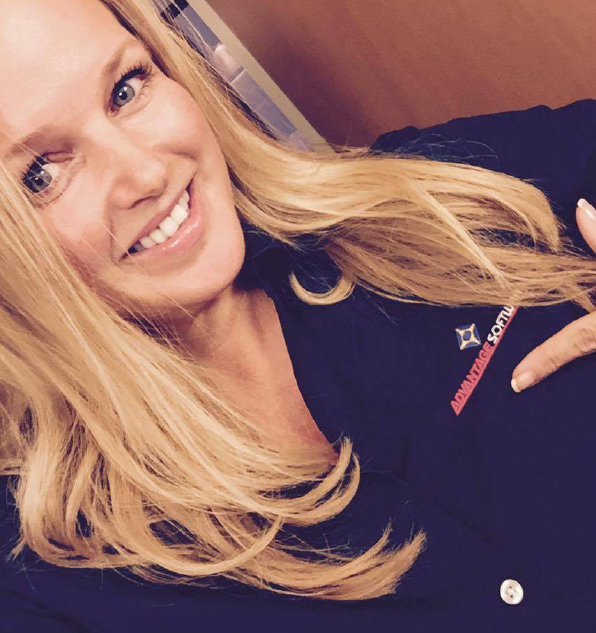
Hello, I'm Julie Samford, your guide on this Eclipse dictionary mastery journey. As a former court reporter with over two decades of experience as an Eclipse trainer, I've honed my skills and insights to help you excel in using Eclipse software. My goal is to share my expertise and empower you to navigate Eclipse with ease, efficiency, and excellence. Let's embark on this learning adventure together and unlock the hidden possibilities within Eclipse!
Unlock Your Eclipse Potential Today!
Join now and access exclusive resources to supercharge your Eclipse proficiency.
$199.00