What is automatic indexing?

Here's a quick excerpt from the training. If you'd like to see a full demonstration, check out the free preview button below to access two lessons showing the indexing files for depositions and federal cases in action.

Discover how easy it is to generate the index automatically with Eclipse. You are going to save so much time and frustration!

We didn't go to court reporting school to do index math!

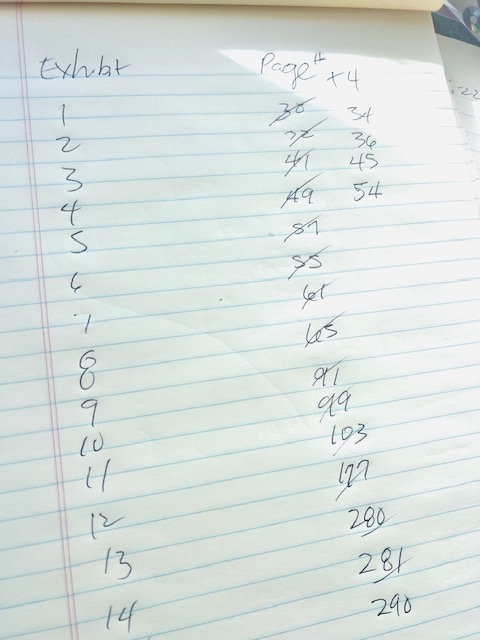
Let Eclipse keep up with what page your exhibits are on for you so you never have to add four to 300 page numbers for the exhibit index.  Hooray!

FAQ

  • Are these files just for Texas?

    No! Anyone anywhere can use them. These files were originally created by Keith Vincent (thank you, kind sir) to comply with the settings required for Texas reporters. You can edit the files, change the settings, whatever you want to make them your own. Also included are title and certificate pages for federal cases. These work with the block files in exactly the same way. See the free preview lessons for more info.

  • Does it matter what version of Eclipse I'm on?

    Not at all. I've modified these files to make them more simple, but I've been using these to teach indexing for 25 years. So it's likely going to work with your version. No worries!

  • Is this going to mess up my current settings?

    Nope. I will walk you through exactly how to keep everything separate. And then you will learn to integrate these files whenever you're ready.

  • Is this for steno or voice?

    Anyone can use these files. It does not matter what you use for input. You can bring these files in during realtime with auto-includes or later while editing.

  • What if my format is completely different?

    You can take this course to learn how to use indexing. Once you know what to do, you can easily work with any files. I'm compiling a set of block files from other users as well as a list of experts who will modify your files or create them from scratch for you.

Course curriculum

    1. Welcome to the Auto-Indexing Course!

    2. Texas Uniform Format Manual

    3. Auto-Indexing - Here's How It Works

      FREE PREVIEW
    4. Federal Title and Certificate Pages for Indexing

      FREE PREVIEW
    5. HANDOUT is right here!

    6. Step 1 - Back Up Settings and Dictionary

    7. Step 2 - Create a New User for Indexing Settings

    8. Step 3 - Download the Indexing Files

    9. The Block Files Can Be Found HERE

    10. Step 4 - Unzip the Files

    11. Step 5 - Copy Files to Your User Folder

    12. Step 6 - Designate the Block Files Folder

    13. Step 7 - Import Indexing Settings

    14. Step 8 - Edit a Transcript Using Block Files

    15. Step 9 - Generate the Index

    16. Step 10 - Integration

    17. ⭐ Index - Change Exhibit Page Number from IDENTIFIED to where it was MARKED

About this course

  • $25.00
  • 17 lessons
  • 2.5 hours of video content

Are you ready to get started today for just 25 bucks?

In a couple of hours, you're going to be an expert at auto-indexing!